Facebook + Tracker Integration
Step by step: how to connect a Facebook account, and the rules your Keitaro or Binom setup must follow so CRM correctly computes spend, registrations and fake clicks.
Connecting a Facebook account
- Open the invite email and follow the link.
- Fill in the registration details and log into CRM.
- Open the “Facebook accounts” tab and click “Create New”.
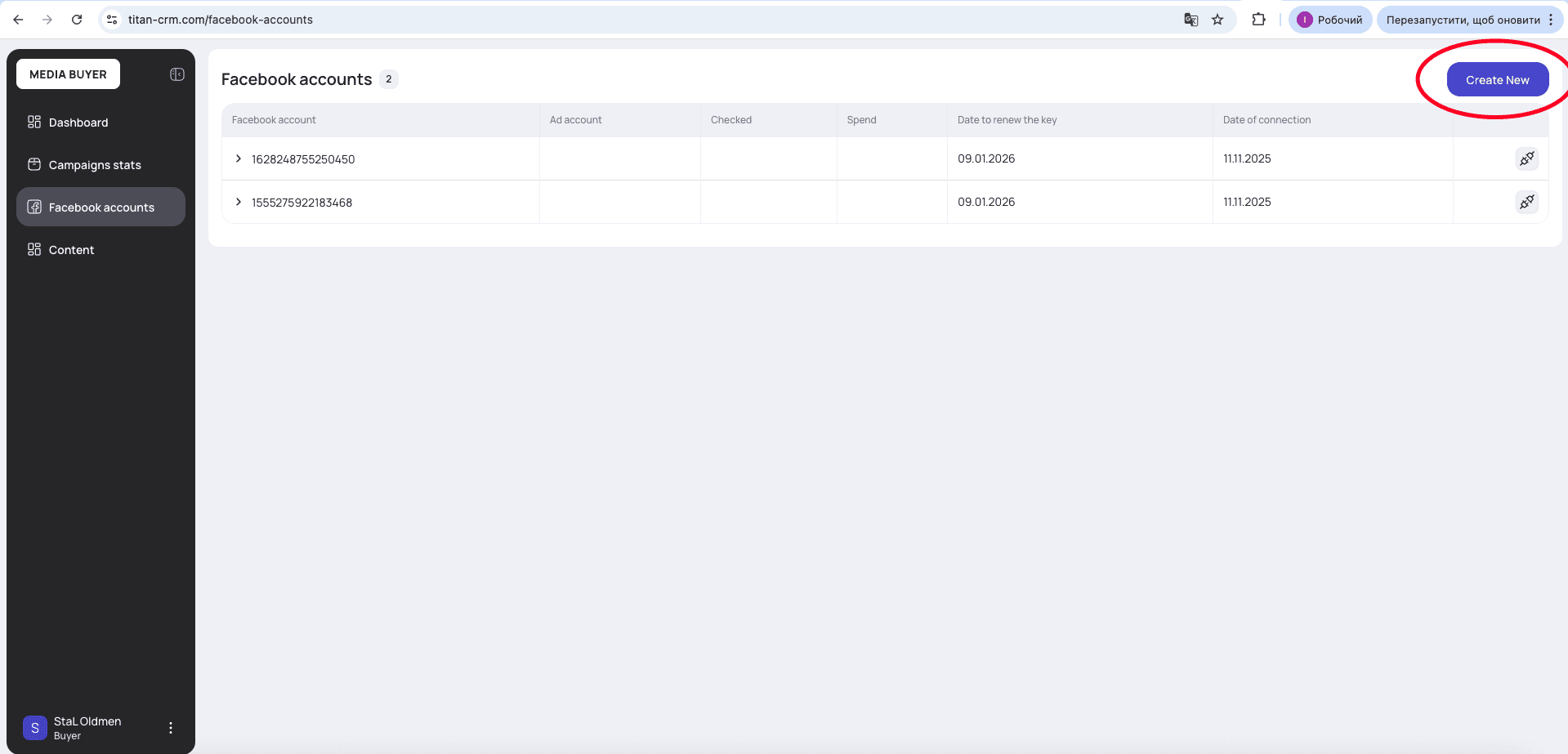
- Complete Facebook authorization and confirm access.
- Verify that all of the account's ad accounts connected successfully.
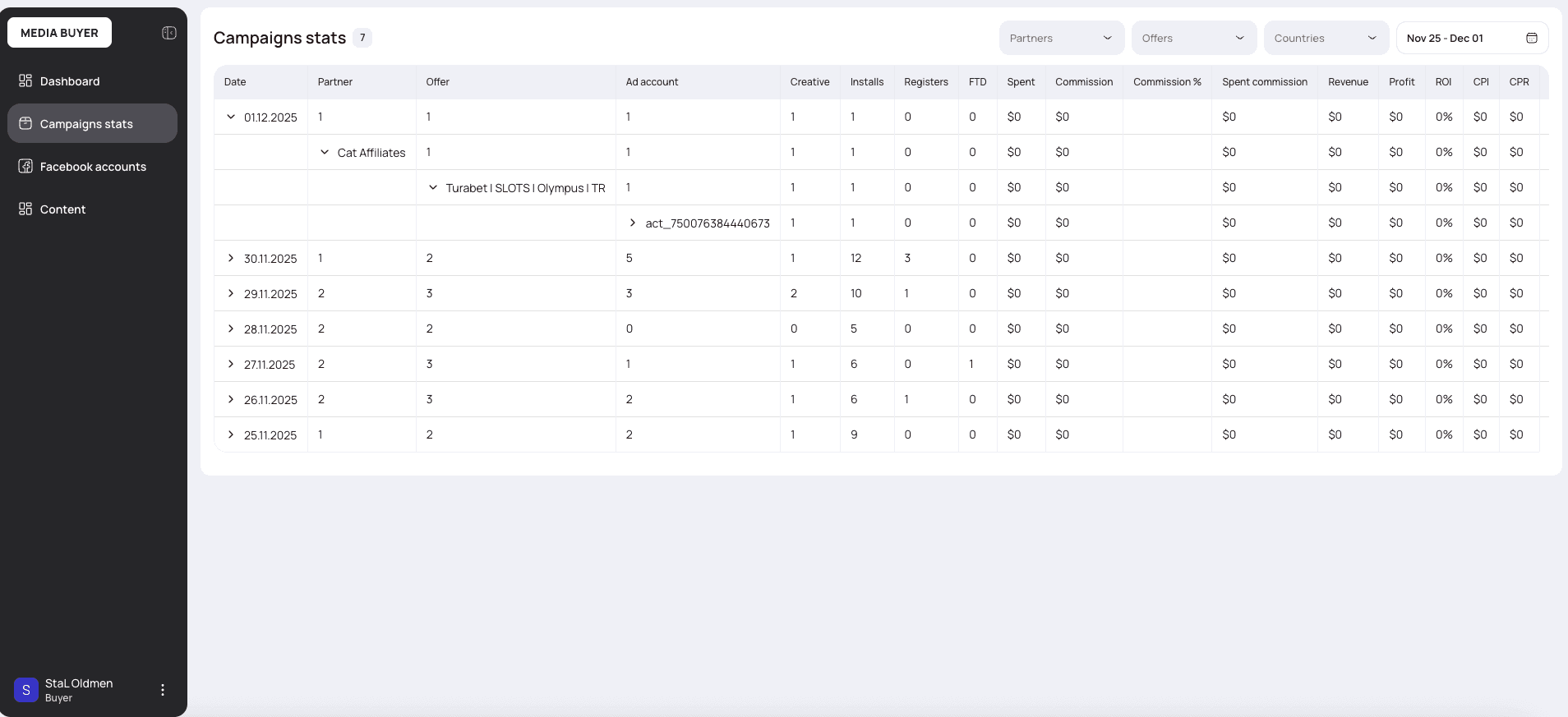
- Cross-check the account data in the tracker against the “Campaigns statistics” tab in CRM.
Reconnecting on a lost token
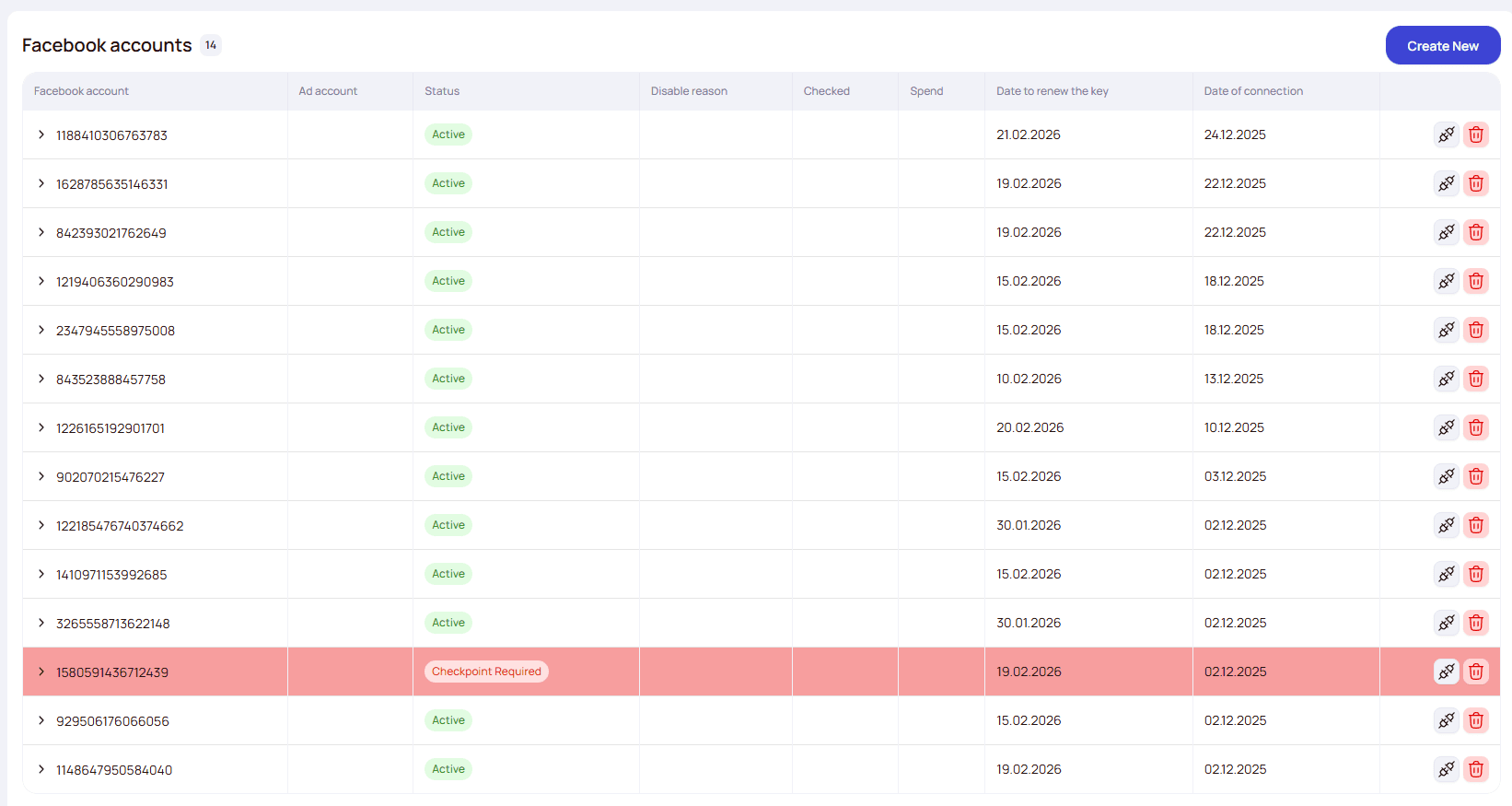
Facebook can revoke an access token due to its own security policies or user actions. The account row in the table turns red — that's the signal to reconnect.
Integration requirements — Keitaro
For spend updates to work correctly, every condition below must be met:
- An active Facebook account connection in CRM.
- An active Keitaro tracker connection in CRM.
- The Facebook Ad ID is passed into the Keitaro Ad ID parameter from your Tracking configuration (default Sub Id 4).
- The Facebook campaign name must contain the Keitaro Flow ID.
CRM splits the Facebook campaign name by x and looks for a segment prefixed with flow — that's the Keitaro Flow ID.
Format: [Campaign_Name]xflow[Flow_ID]x[Other_params]
| Position | Example | Flow ID |
|---|---|---|
| At the start | flow123xOfferB | 123 |
| In the middle | Testxflow555xUSA | 555 |
| At the end | FBADSxDE_Targetxflow7777 | 7777 |
Multi-geo
- The campaign name contains several flow segments separated by x — one per geo: Creative_01xflow123xflow456xflow789.
- Each Keitaro flow must have an ACCEPT country = <code> filter — this is how CRM maps a flow to a geo.
- CRM takes the Facebook country spend breakdown and distributes 10 fake clicks proportionally: UA=$60, PL=$30, DE=$10 → UA gets 6 clicks, PL — 3, DE — 1.
- If Facebook doesn't return a country breakdown (or spend = $0 everywhere) — clicks are split evenly across all flows.
Integration requirements — Binom
For spend updates to work correctly, every condition below must be met:
- An active Facebook account connection in CRM.
- An active Binom tracker connection in CRM.
- Binom tracking configuration is set up (parameters and conversions).
- The Facebook Ad account ID is passed into Binom's Ad account ID parameter.
- The Facebook Ad ID is passed into Binom's Ad ID parameter.
- The Facebook ad name is passed into Binom's Creative name parameter.
- The approach code is passed via the ad's URL into Binom's Approach code parameter.
- The Facebook campaign name contains the Binom Campaign ID and Path Name.
CRM splits the campaign name by x and looks for segments prefixed with campaign (campaign ID) and path (path name). Order doesn't matter.
Format: campaign[Campaign_ID]xpath[Path_Name]x[Other_params]
| Position | Example | Campaign ID / Path |
|---|---|---|
| At the start | campaign1xpathMy pathxOfferB | 1 / My path |
| In the middle | Param1xpathTraffic2xcampaign173xParam2 | 173 / Traffic2 |
| At the end | Param1xpathAppTrafficxcampaign236 | 236 / App Traffic |

Multi-geo
- The campaign name contains the campaign ID and several path segments separated by x — one per geo: Creative_01xcampaign42xpathUAxpathPLxpathDE.
- Each path in Binom's custom rotation must have a COUNTRY IS <code> rule — this is how CRM maps a path to a geo.
- CRM takes the Facebook country spend breakdown and distributes 10 fake clicks proportionally: UA=$60, PL=$30, DE=$10 → UA gets 6 clicks, PL — 3, DE — 1.
- If Facebook doesn't return a country breakdown (or spend = $0 everywhere) — clicks are split evenly across all paths.
Sync & fake-click schedule
| What | When |
|---|---|
| Spend updates | every 30 min (7:00, 7:30, 8:00…) UTC; first run covers the last 7 days, then the last 10 days plus today. |
| Fake-click creation | daily at 3:00 UTC for the previous day; the first run covers the last 7 days. |
| Fake-click count | 10 per ad (Ad ID). |
Debugging spend
If an ad has spend but the numbers don't line up, trace one ad through the tracker:
- Pick an ad that has spend and note its Facebook Ad ID and the day you're checking.
- In the tracker, open a report filtered by the Ad ID token (the one from your Tracking configuration) for that campaign and date, and look at the unique clicks.
- No real clicks? There should be fake clicks — CRM generates them daily (3 AM UTC) for ads that have spend but no tracker clicks, so the spend can be attributed.
- No fake clicks either? The Facebook campaign name is misconfigured — it must contain the routing markers (Keitaro: flow…; Binom: campaign… and path…). Without them CRM can't build the fake clicks or attribute the spend.